-
 play_arrow
Chilli FM The Hottest Sound on the Coast
How to Listen to Chilli FM in Your Car with Apple CarPlay
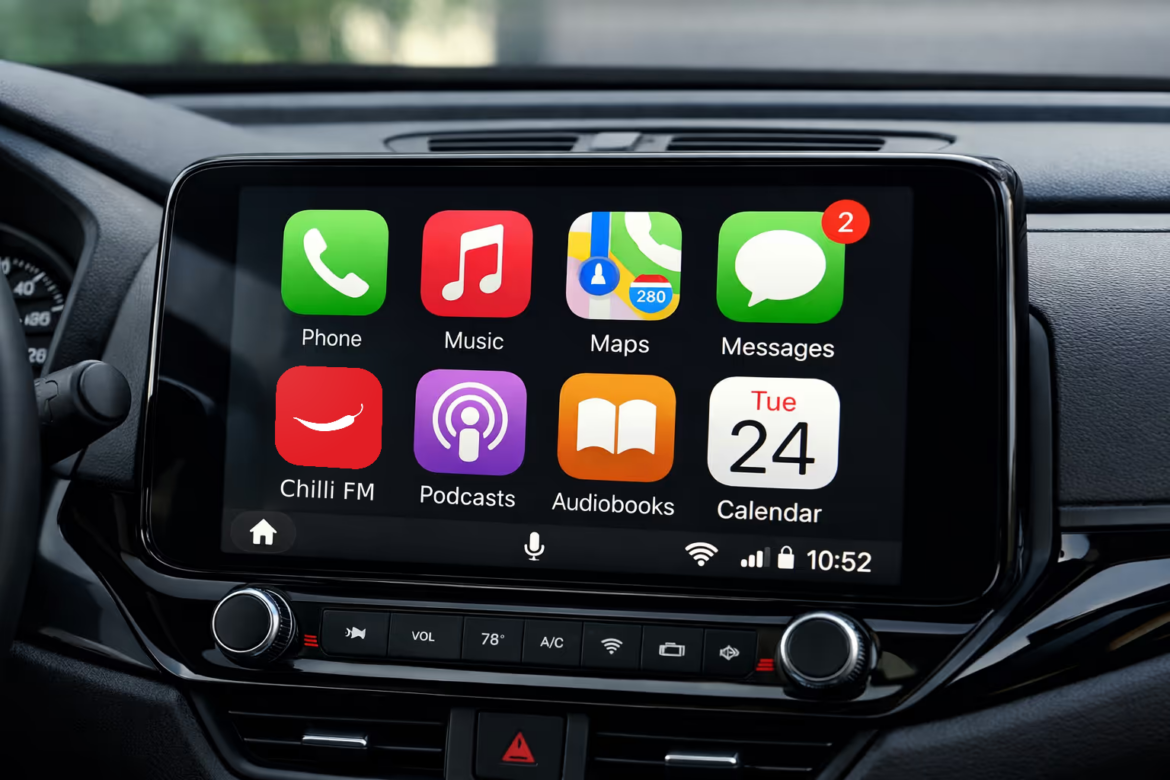
Take the hottest sound on the coast with you on every drive. If your car has Apple CarPlay, getting Chilli FM playing on the dashboard is quick and easy. Here’s how.
What you’ll need
You’ll need an iPhone with the Chilli FM app installed and a car or stereo that supports Apple CarPlay. You’ll also want your Lightning or USB-C cable, though if your car offers wireless CarPlay you can skip the cable altogether.
Setting it up the first time
First, install Chilli FM from the App Store. Then connect your iPhone to your car. For a wired connection, plug your iPhone into the car’s USB port, usually the one marked with a small CarPlay or phone icon. If your car supports wireless CarPlay, just follow your car’s pairing steps once and it will connect on its own from then on.
Your car screen will switch to CarPlay and show your apps.
Playing the station
Tap the Chilli FM icon on your CarPlay screen. You’ll see two tabs. The first is the station itself, where you simply tap “Play Chilli FM” to start the live stream. The second, Recently Played, shows the songs that have aired most recently.
Once the music is rolling, you can use your car’s play and pause buttons or your steering wheel controls to manage it, just like any other radio.
Hands free with Siri
Let Siri do the driving admin so you don’t have to touch a thing. Just say “Hey Siri, play Chilli FM” to start listening, or “Hey Siri, pause” when you need to stop.
Catch what just played
Tap the Recently Played tab whenever you like to see the last tracks that aired. It’s handy for those times you join a song halfway through and want to know exactly what it was.
If something isn’t working
Can’t see Chilli FM on your CarPlay screen? Make sure the app is installed and up to date on your iPhone, then unplug and reconnect. No sound coming through? Check your car’s volume and that Chilli FM is selected as the audio source. Since the station streams live, you’ll also need a decent mobile signal. And if your connection drops while you’re out on the road, there’s nothing to worry about, Chilli FM reconnects to the live broadcast as soon as your signal returns.
Enjoy the ride, and thanks for listening to Chilli FM, the hottest sound on the coast.
Similar posts